
Reports and analytics
Follow what happened to every campaign and message: deliveries, opens, clicks, bounces, complaints and unsubscribes.
Campaign report
Open a sent campaign to see:
| Metric | Meaning |
|---|---|
| Delivered | Accepted by the receiving mail server |
| Opens | Contacts who opened the email |
| Clicks | Contacts who clicked a link |
| Bounces | Addresses that could not receive the email |
| Complaints | Contacts who marked it as spam |
| Unsubscribes | Contacts who left your list |
The report also shows results per receiving domain (Gmail, Outlook, Yahoo …), and the top devices, browsers and locations.
About open rates
Some mail apps load images automatically or block them, so opens are an estimate. Clicks are a more reliable measure of interest.
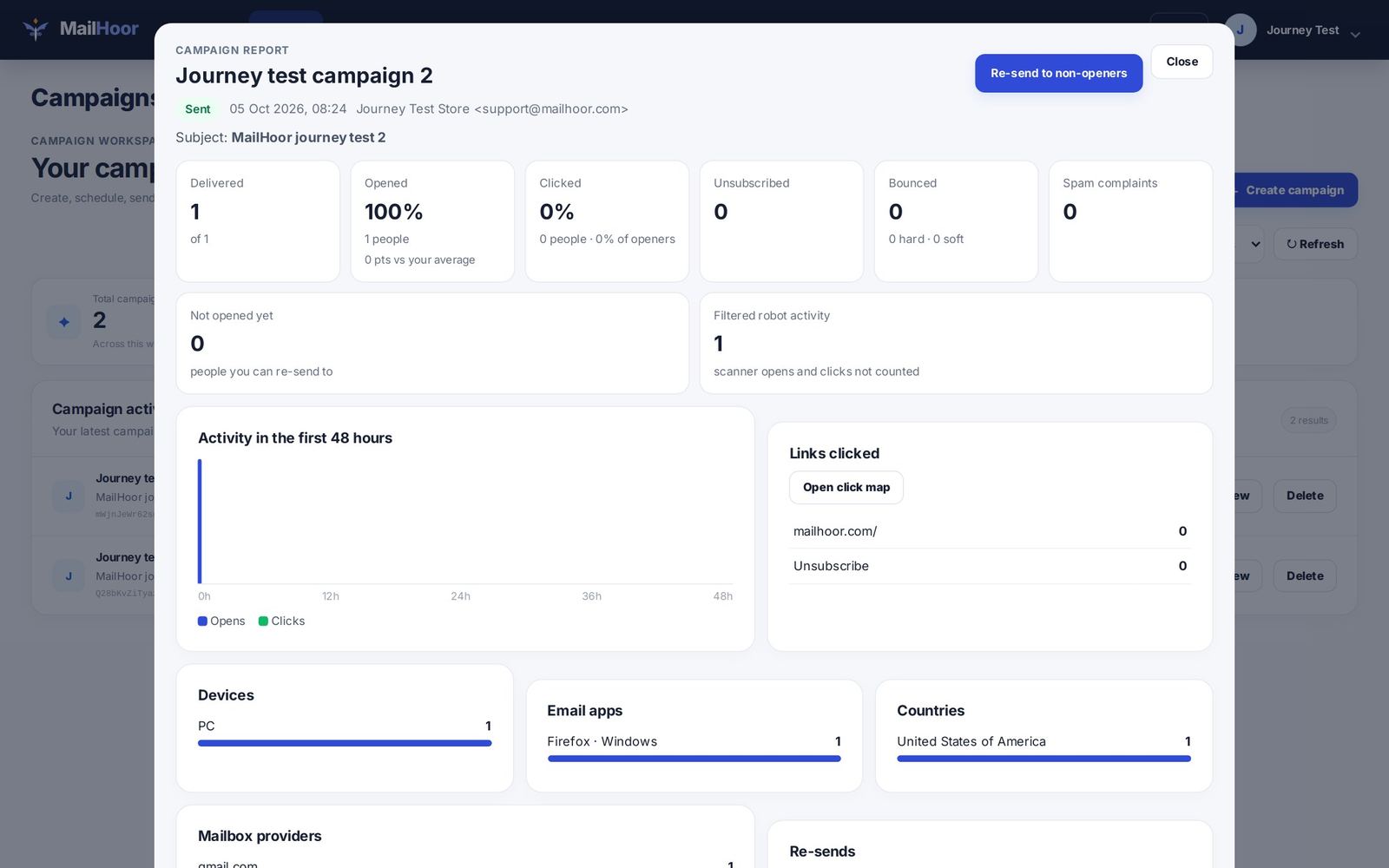
Click map
On Business and above, the click map shows where people clicked inside your email, so you can see which links and buttons work.
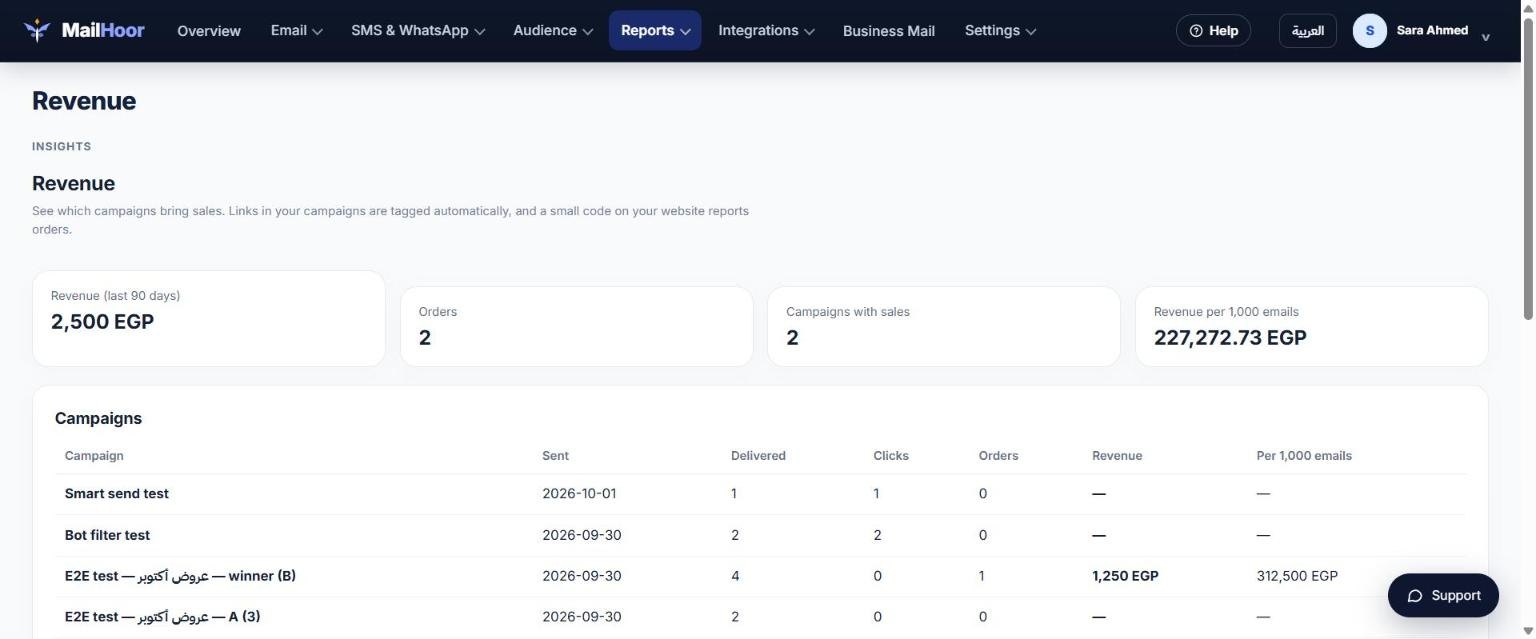
Reports menu
- Reports → Analytics: trends across all campaigns over time.
- Reports → Revenue: which campaigns bring sales (Business and above). Links in your campaigns get UTM tags automatically. Connect your store, or add the small tracking code shown on the page to your website and report each order on your order confirmation page.
- Reports → Deliverability: bounce and complaint rates, the numbers inboxes watch most closely.
Exporting
You can export campaign data and contact lists as files from the portal or with the API.
Still need help? Email support@mailhoor.com or call +20 101 072 9258. We answer in Arabic and English.