
Automation and journeys
Automations send emails by themselves when something happens, such as a new subscriber or a new order. Set them up once and they keep working.
Start from a ready journey
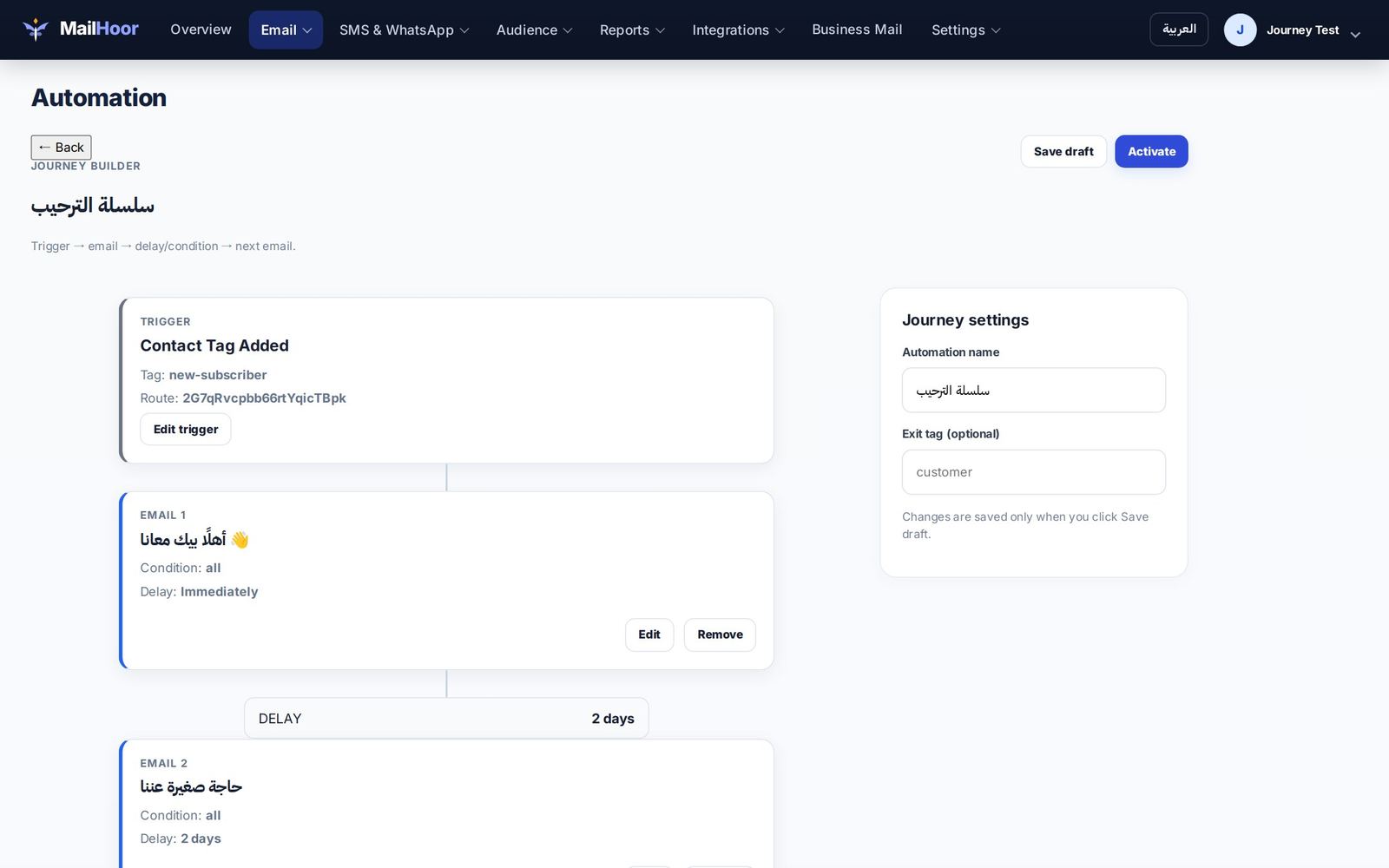
Start from a ready journey, then edit the emails and timing, or open Email → Automation to build your own in the journey builder.
How a journey works
- Trigger: what starts the journey, such as a tag being added to a contact.
- Steps: emails and waits between them ("wait 2 days"), plus the conditions the builder offers.
- Exit: contacts leave when they reach the end. Unsubscribed contacts leave at once.
Ready journeys
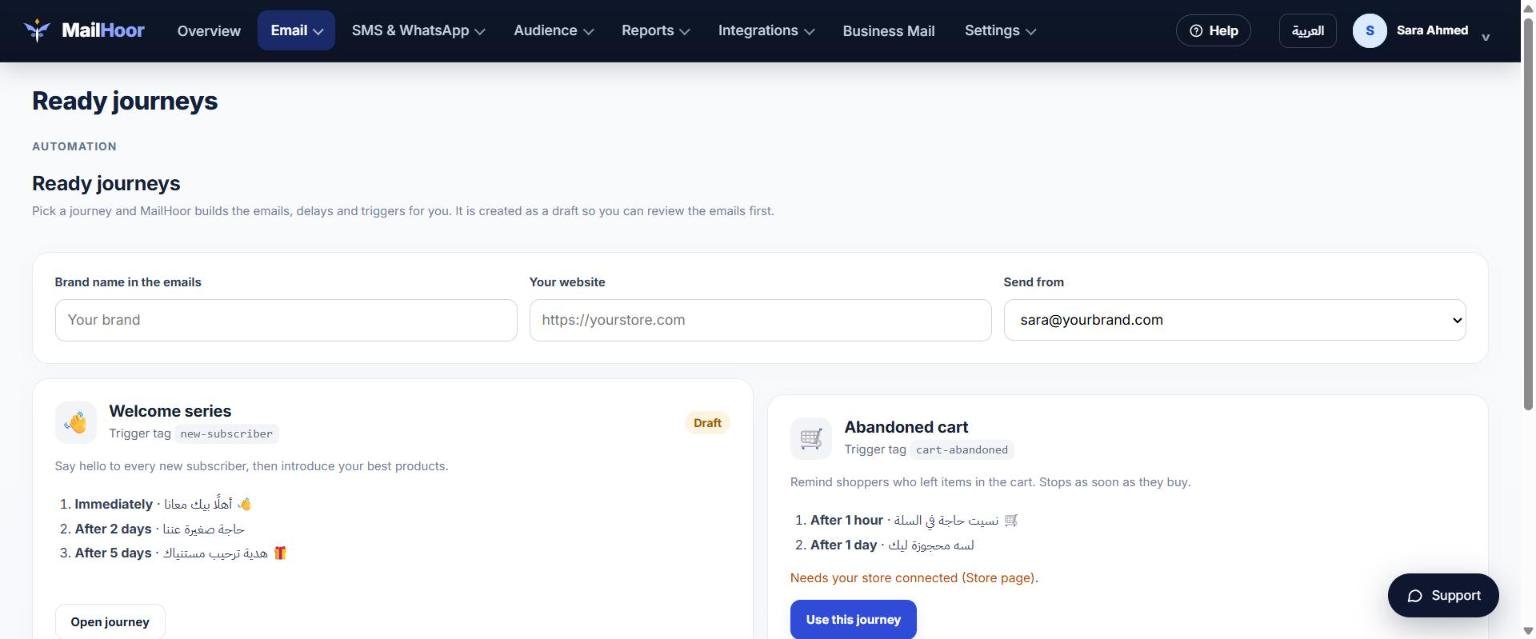
Email → Ready journeys has four journeys written for you. Enter your brand name, website and sender once, then click Use this journey and edit anything you like.
| Journey | Starts when | Emails |
|---|---|---|
| Welcome series | A contact gets the new-subscriber tag |
Right away, after 2 days, after 5 days |
| Abandoned cart | A shopper leaves items in the cart of your connected store | After 1 hour, after 1 day |
| Thank you & review | A contact gets the purchased tag |
Right away, after 7 days |
| Win back | A contact gets the win-back tag |
Right away, after 3 days |
Journeys start from tags, so anything that adds a tag can start one: a signup form, an integration, your store, or the API. The abandoned cart journey needs a connected store.
Good practice
- Keep each email short, with one clear action.
- Test the journey with your own address before turning it on.
- Automated emails count towards your monthly volume, like campaigns.
Still need help? Email support@mailhoor.com or call +20 101 072 9258. We answer in Arabic and English.