
Unsubscribes and preference center
Every campaign includes an unsubscribe link and a one-click unsubscribe header. Unsubscribed contacts are removed from future campaigns automatically.
How unsubscribing works
- Every campaign has an unsubscribe link in the footer. The pre-send check will not let a campaign go out without it.
- MailHoor also adds a one-click unsubscribe header, which Gmail and Yahoo show as an Unsubscribe button next to your name.
- When someone unsubscribes, MailHoor stops sending them campaigns at once.
Preference center
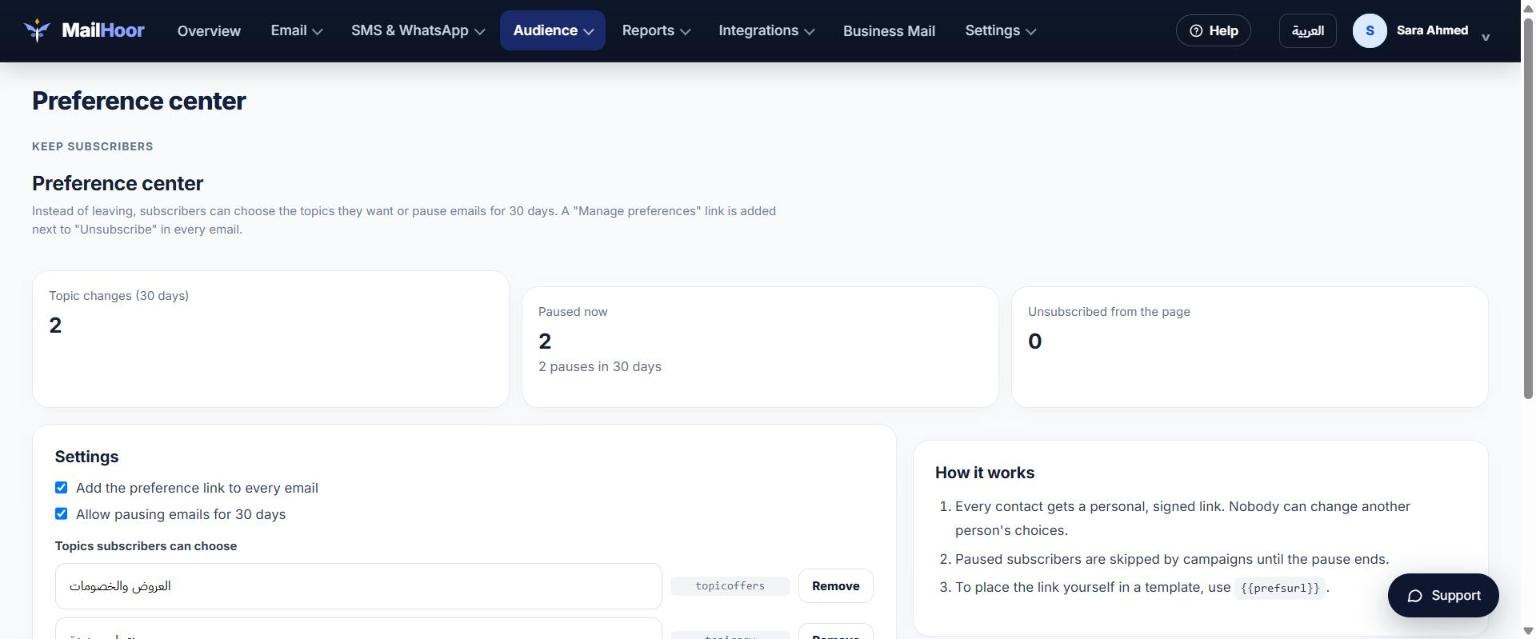
Open Audience → Preference center to set up the page people see when they manage their subscription. A preference center lets people choose what they receive instead of leaving completely.
Spam complaints
When someone marks your email as spam, MailHoor records a complaint and stops sending to that contact. Keep complaints low by sending only to people who asked to hear from you. See Deliverability best practices.
Re-subscribing
Do not re-import contacts who unsubscribed; MailHoor will not send campaigns to them. If a customer asks to receive your emails again, ask them to subscribe through one of your signup forms, or contact support.
Webhooks
To keep your own system in sync, use webhooks for the unsub and complaint events.