
Integrations
Bring leads and customers into MailHoor automatically from Facebook Lead Ads, your CRM and your online store. Available on Business and above.
Facebook Lead Ads
Leads from your Facebook and Instagram lead forms arrive in a MailHoor list as soon as people submit them.
- Open Integrations → Facebook Lead Ads.
- Sign in with the Facebook account that manages your Page, and allow access.
- Choose the Page and the lead forms to connect, and the list that leads join.
Pair it with a welcome journey to reply to every lead within minutes.
HubSpot
Sync contacts from HubSpot into MailHoor.
- In HubSpot, create a Private App and copy its access token.
- In MailHoor, open Integrations → HubSpot and paste the token.
- Choose what to sync and the destination list.
If HubSpot does not accept the token, create a new Private App token with the contact read permissions and try again.
Zoho CRM, Pipedrive and Odoo
Open Integrations → CRM and choose your CRM. The sync runs both ways:
- CRM to MailHoor: new and changed contacts join the list you choose every 10 minutes, with the tag
zoho,pipedriveorodoo. - MailHoor to CRM: unsubscribes, spam complaints and hard bounces are written back to the CRM record: the CRM's opt-out flag where it has one, plus a note.
Choose who may be imported. MailHoor only adds people who agreed to receive email:
| CRM | Options |
|---|---|
| Pipedrive | People marked Subscribed in Pipedrive Campaigns, or everyone with an email after you confirm they agreed |
| Zoho CRM | Records with a tag you name, for example Newsletter, or everyone after you confirm |
| Odoo | Contacts with a tag you name, or everyone after you confirm |
Anyone opted out in the CRM (Pipedrive Unsubscribed, Zoho Email Opt Out, Odoo blacklist) is never imported, and if they are already in MailHoor they are unsubscribed here too. Someone who unsubscribed in MailHoor stays unsubscribed even if the CRM sends them again.
What each CRM needs to connect:
- Pipedrive: your personal API token from Personal preferences → API.
- Odoo: your Odoo address, login email and an API key from My Profile → Account Security → New API Key.
- Zoho CRM: a Self Client in the Zoho API Console. Copy its Client ID and Secret, generate a code with the scope shown on the page, and paste all three within 10 minutes.
Connection keys are stored encrypted. Disconnecting stops the sync; contacts already in MailHoor stay.
Online stores
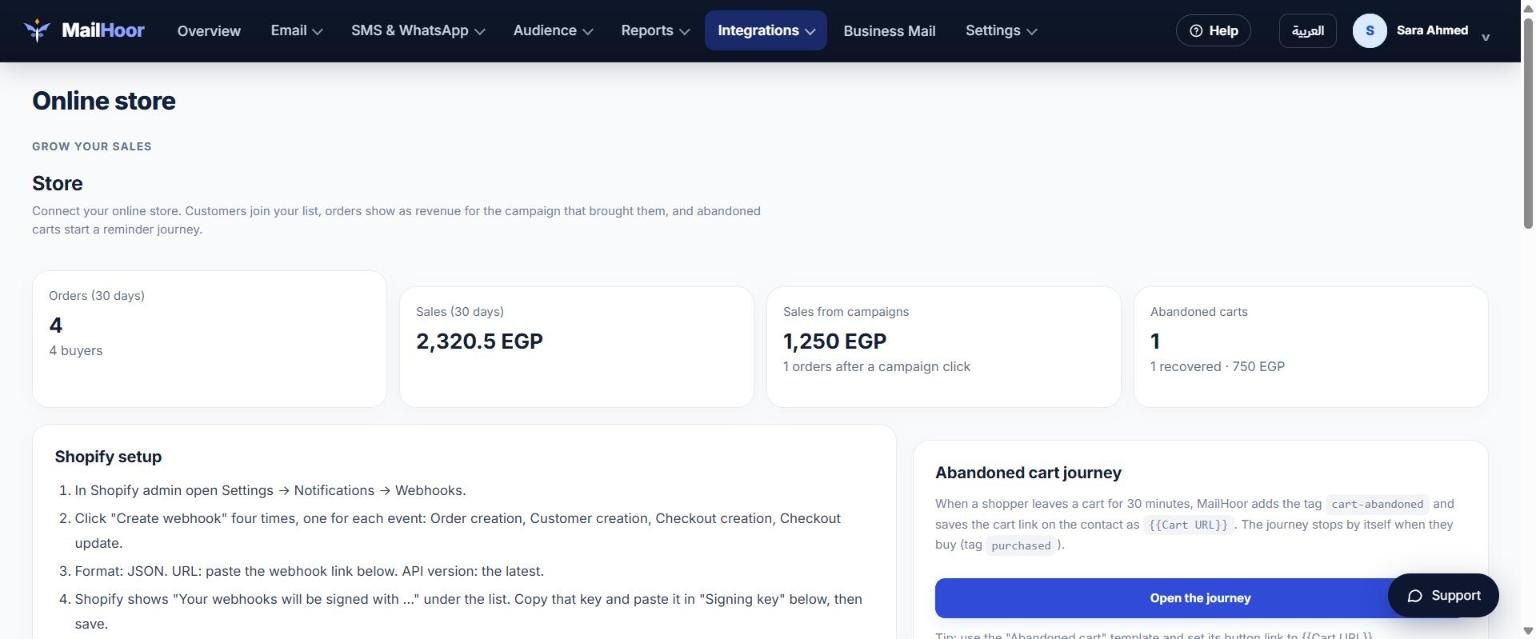
Open Integrations → Online store and choose your platform: Shopify, WooCommerce, Salla, or Zid / EasyOrders / custom. Then set:
- The list where store customers are saved.
- How long before a cart counts as abandoned.
- Your store currency.
- Only add shoppers who agreed to receive marketing emails — keep this on.
Once connected, customers join your list, orders show as revenue for the campaign that brought them in Reports → Revenue, and abandoned carts start the abandoned cart journey.
Your own systems
Use the API to add contacts and send transactional email, and webhooks to receive events back. This also works for any other CRM, directly or through Make, Zapier or n8n.