
WhatsApp campaigns
Send approved WhatsApp template messages to your contacts from your own WhatsApp Business number, through Meta's WhatsApp Cloud API. Available on Professional.
What you need
- A WhatsApp Business Account in Meta Business Manager, with a phone number added to the WhatsApp Cloud API.
- From Meta's developer dashboard: the Phone number ID, the WhatsApp Business Account ID, and an access token.
- At least one message template approved by Meta.
Connect your number
- Open SMS & WhatsApp → WhatsApp.
- Paste the Phone number ID, WhatsApp Business Account ID and access token. All three are needed.
- Save. MailHoor loads your approved templates.
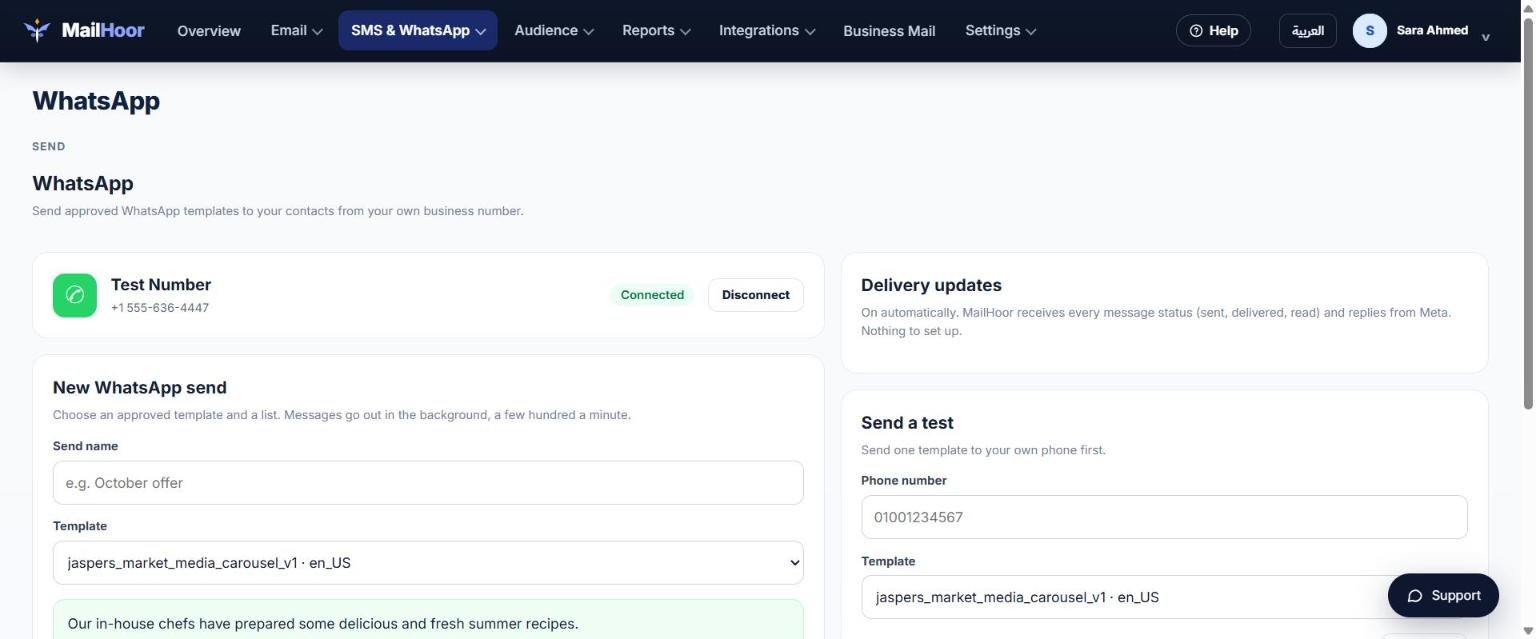
Send a campaign
- Choose a template, a list, and the field that has the phone number.
- Fill in the template's variables, such as the customer's name.
- If the template has a picture, video or file at the top, add a public https link to it.
- Send a test to your own number, then send.
Why templates?
WhatsApp only allows businesses to start a conversation with a template that Meta has approved. Create and submit templates in Meta's WhatsApp Manager; Meta reviews each template, usually within 24 hours.
Good practice
- Message only customers who agreed to hear from you on WhatsApp.
- Send fewer, more useful messages. Customers can block or report you, which lowers your number's quality rating.
- Meta charges per conversation according to its own pricing, billed to your Meta account.
Still need help? Email support@mailhoor.com or call +20 101 072 9258. We answer in Arabic and English.