
SMS campaigns
Send text messages to the same contacts you email, through your own SMS provider account or an Android phone. Available on Professional.
How sending works
MailHoor sends SMS through an account you connect. You keep your sender name, your rates and your provider contract.
| Option | Best for | What you need |
|---|---|---|
| Twilio | International sending | Account SID and auth token from Twilio |
| Infobip | Sending in Egypt and the region | Your Infobip base URL (xxxxx.api.infobip.com) and API key |
| Vonage | International sending | API key and secret from Vonage |
| Android phone | Small volumes, testing, local numbers | An Android phone with the SMS Gate app (sms-gate.app) and its username and password |
Connect a provider
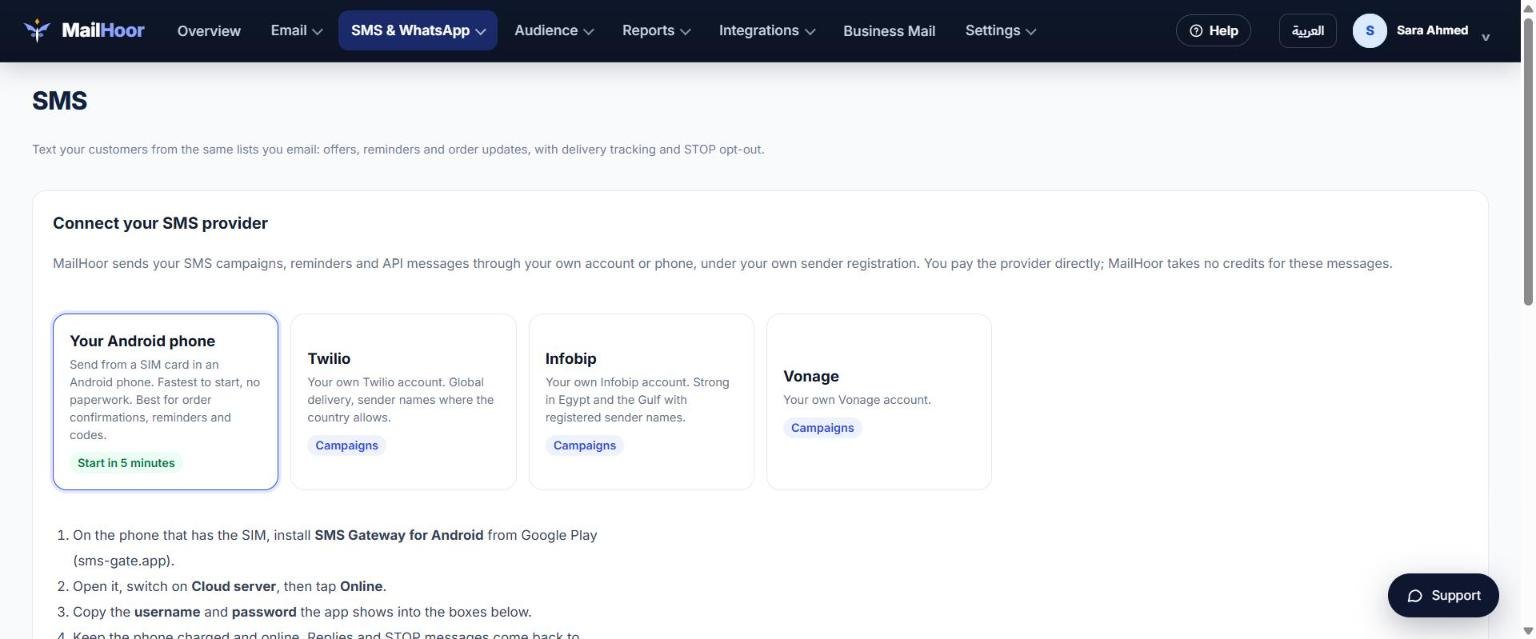
- Open SMS & WhatsApp → SMS.
- Choose your provider and paste the credentials from your provider's dashboard.
- Save, then send a test message to your own number.
Send an SMS campaign
- Make sure your contacts have a phone number field, in international format such as
+201000000000. - Create the SMS, choose the list or segment and the phone field.
- Send a test, then send.
Good practice
- Only text people who agreed to receive SMS from you.
- Keep messages short; long messages are split into several parts and cost more.
- Say who you are at the start and how to stop receiving messages.
- Check your provider's rules for sender names in each country.
Still need help? Email support@mailhoor.com or call +20 101 072 9258. We answer in Arabic and English.